AI Agent
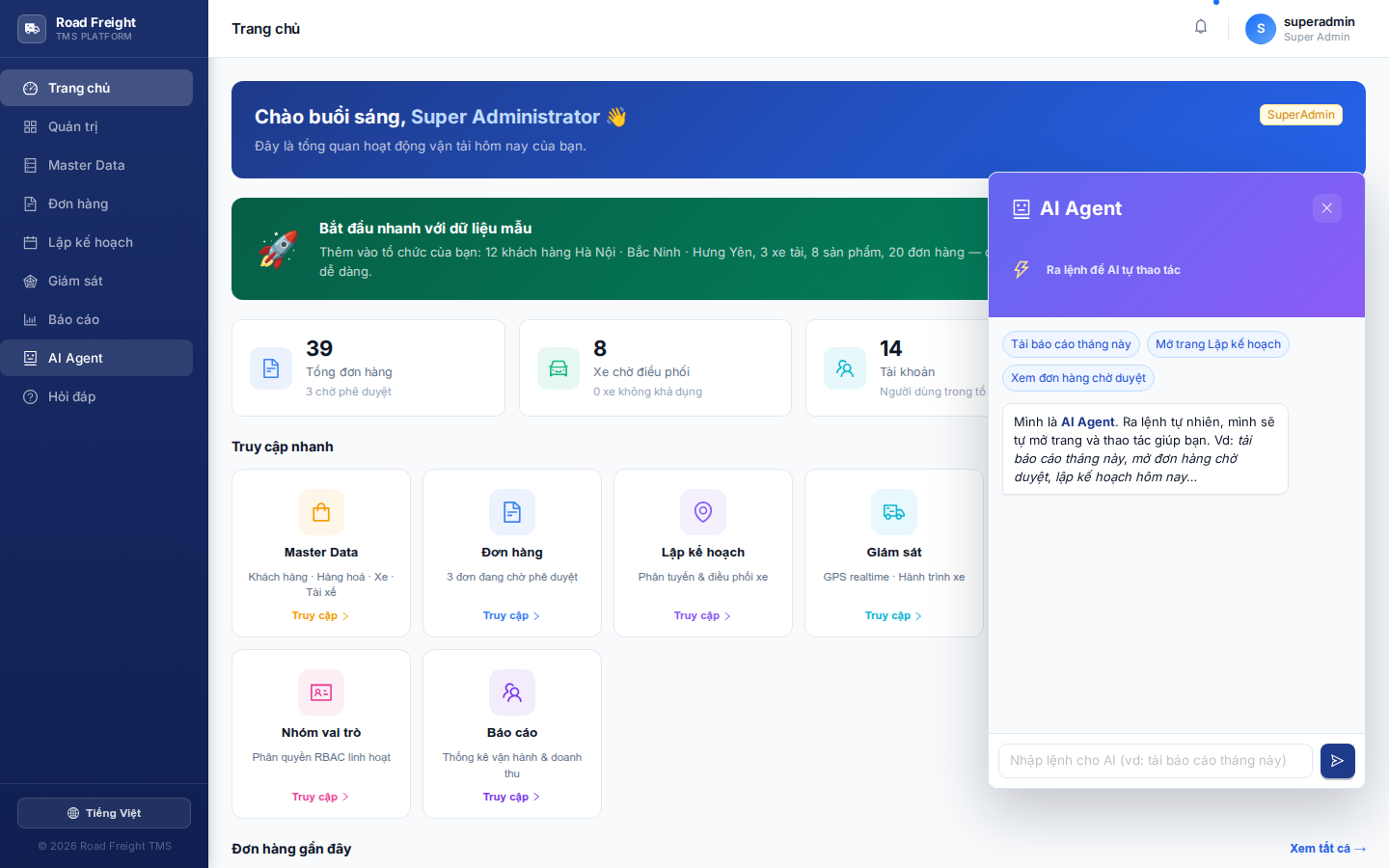
AI Agent is your automation assistant — give it natural English commands and it operates the UI for you: opens pages, sets filters, downloads reports, plans routes...
Why use the AI Agent?
Compared to clicking through menus, the AI Agent:
- ⚡ Faster: one sentence replaces 4-5 clicks
- 🎯 Pre-set filters: "pending orders today" sets two filters at once
- 🗣️ Natural: speak/type like a real colleague, no need to learn the UI
- 🧠 Date-aware: understands "yesterday", "May 14", "20/5/2026"
Open the AI Agent
Left sidebar → click "AI Agent" (🤖 icon).
The panel opens on the right so you can issue commands while watching the result on the main screen.
11 supported command groups
1. Generic navigation
- "Home" / "Dashboard"
- "Open Administration"
- "Master Data"
2. Download Excel report
- "Download this month's report" → exports current month
- "Quarterly report" / "Weekly report"
- "Report from 1/5 to 17/5" → custom range
3. Orders with filters
- "Pending orders" → filter
PENDING - "Today's orders" → date = today
- "Vinamilk orders" → filter by customer name
- "Approved orders yesterday" → combine two filters
4. Master Data tabs
- "Find customer" → opens Customers tab
- "View vehicles" / "trucks" → Vehicles tab
- "Product catalog" → Products tab
- "Maintenance schedule" → Maintenance tab
5. Users / Drivers
- "User list" / "users"
- "Driver information for Lê Văn Nam" → opens Users + search
6. Live monitoring
- "Monitoring" / "track vehicles"
- "View today's trips"
7. Planning — VIEW
- "Open planning for day 20"
- "View today's plan"
8. Planning — CREATE
- "Plan tomorrow's deliveries" → opens + runs CVRP optimization
- "Create plan for 20/5"
- "Optimize routes"
9. Driver payroll ⭐
- "Driver payroll" → opens Reports payroll tab
- "This month's salary"
- "View driver compensation"
10. Vehicle maintenance ⭐
- "Maintenance schedule" → opens Master Data maintenance tab
- "Which vehicles need maintenance?"
11. Audit log ⭐
- "Audit log" / "system log"
- "Who edited the order?"
- "Activity history"
Live data queries
Beyond navigation, the agent also reads the database and returns results:
Search trips
- "Which trips did vehicle 29B-12345 run today?"
- "Which trips are currently in progress?"
- "How many trips did driver Nam run on the 14th?"
Search orders
- "How many orders are pending approval?"
- "Vinamilk orders yesterday?"
The agent renders the result as a markdown table/bullet list right inside the panel.
Vietnamese date understanding
The agent auto-converts to YYYY-MM-DD:
| You say | Agent understands |
|---|---|
| "hôm nay" / "today" | Today |
| "hôm qua" / "yesterday" | Yesterday |
| "ngày mai" / "tomorrow" | Tomorrow |
| "ngày kia" | Day after tomorrow |
| "ngày 14" | 14/current-month |
| "14/5" | 14/05/current-year |
| "20/5/2026" | 2026-05-20 |
| "ngày 1 tháng 6" | 01/06/current-year |
How it works
User types a command
    ↓
Backend → Gemini 2.5 Flash + function declarations
    ↓
Gemini picks the right tool (e.g. openPayroll, downloadReport)
    ↓
Backend returns { type: "navigate", path, label }
    ↓
Frontend auto-navigates + runs the action
When Gemini is overloaded (429 quota), the system falls back to a Vietnamese regex parser that covers roughly 80% of simple commands.
Current limitations
- ❌ Does not create new orders — the agent only opens the form for you to fill
- ❌ No bulk delete / bulk approve — to avoid catastrophic mistakes
- ❌ Does not edit Master Data — only opens the corresponding screen
Write actions are intentionally limited so a misunderstood command never destroys data.
FAQ
Q: Does the AI Agent support voice input? A: Not yet. Text only. Web Speech API support may come later.
Q: Are commands saved? A: Yes. Conversation history is kept in session, surviving a refresh.
Q: Is the agent free? A: It uses the Gemini free tier (15 req/min). Enough for a small business.
Next
- Q&A Chatbot — How-to assistance (vs the agent's action-taking)
- Planning — A feature the agent can drive