Master data management
Master Data is the foundation data of the system — customers, products, vehicles, ... reused across operations. Investing in clean master data = fewer mistakes in orders / planning.
The Master Data page has 7 tabs, each managing one type of entity.
Tab 1: Customers
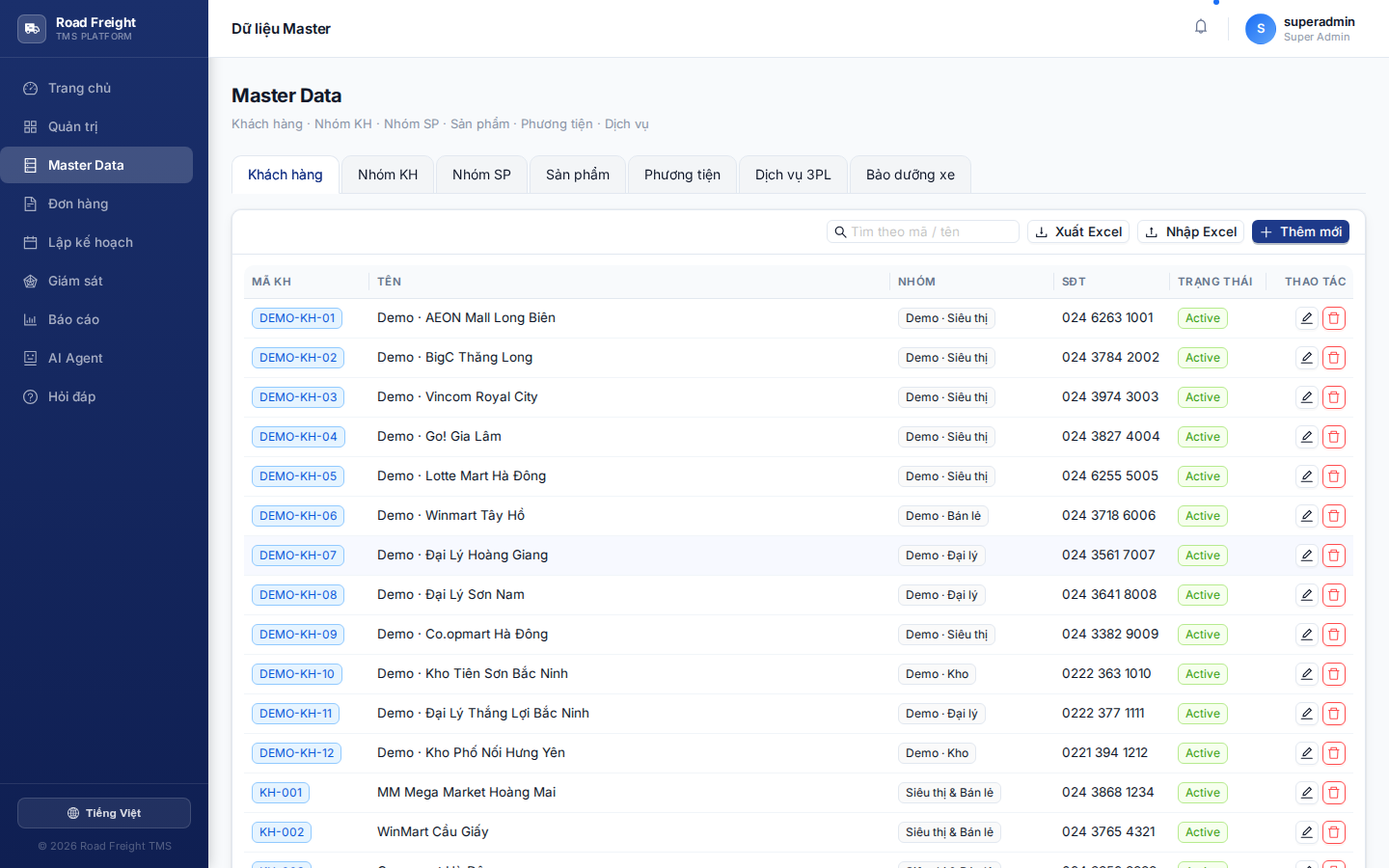
Key fields per customer:
| Field | Required | Purpose |
|---|---|---|
| Customer code | ✅ | Unique, e.g. CUS-001 |
| Name | ✅ | Shown in orders / reports |
| Customer group | — | Categorize (VIP, Standard, Household...) |
| Address | ✅ | Delivery location |
| Coordinates (Lat/Lng) | ✅✅ | CRITICAL — without coordinates the optimizer cannot route |
| Phone | — | Contact |
| Open / close hours | — | Allowed delivery window |
| Service time | — | Estimated minutes at stop (default 10') |
Enter the address → click "Auto-fetch coordinates from address" → system calls OpenStreetMap. Vague addresses give imprecise results — verify on Google Maps before saving.
Tab 2: Customer groups
Group customers for reporting / categorization. E.g.: VIP, Enterprise, Individual.
Tab 3: Product groups
Categorize by product type: Food, Beverage, Electronics, Pharma, Chemicals...
Each group has:
- Unloading time per case (minutes) — for stop time calc
- Top-loadable — stacking constraint
Tab 4: Products
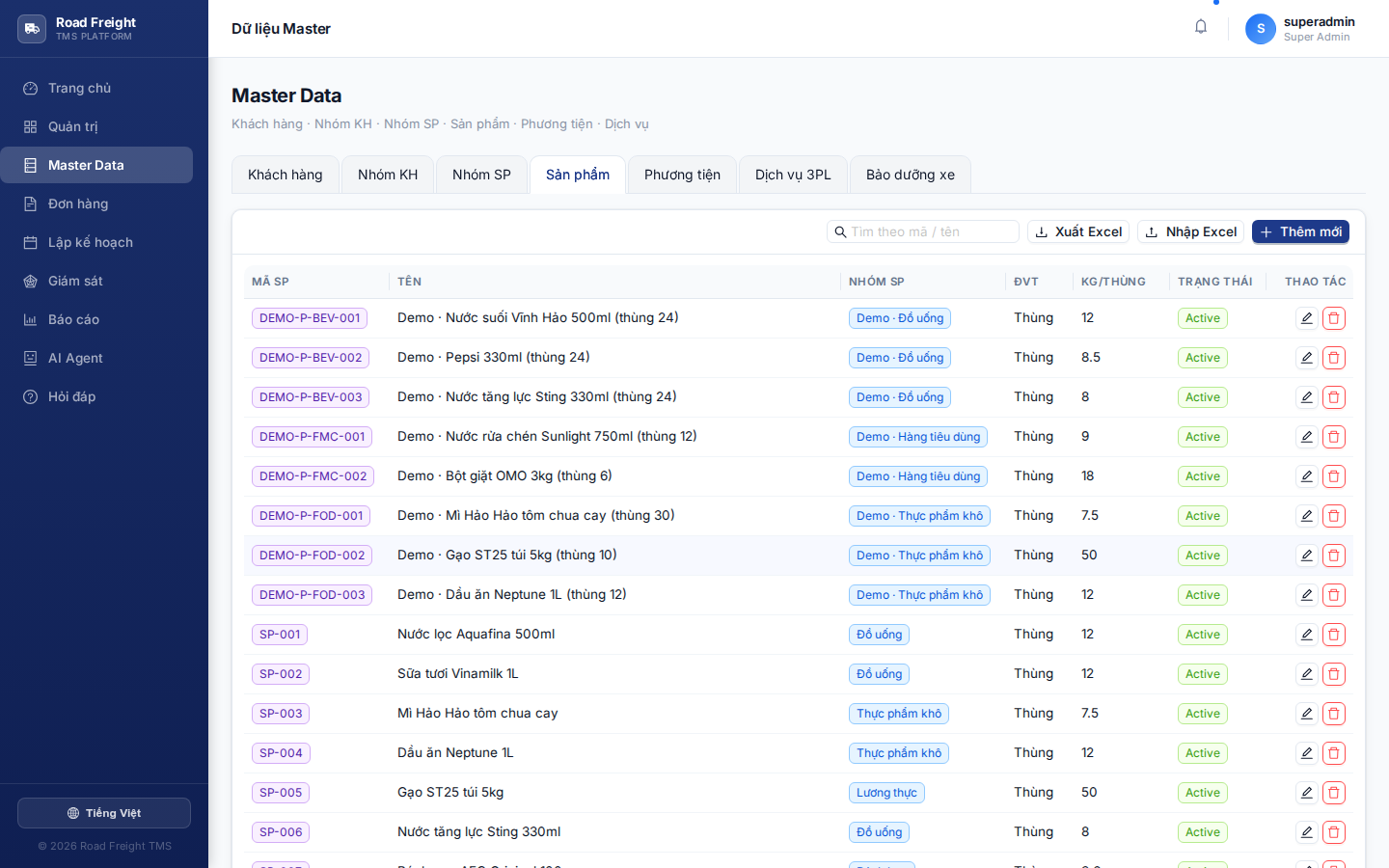
Each product has:
- Product code, Name, Product group
- Unit (pcs, kg, L...)
- Weight per case (kg)
- Volume per case (m³)
- Items per case
- Unit price (VND)
When creating an order, pick a product → the system auto-computes total kg/m³ to know which vehicle can carry it.
Tab 5: Vehicles
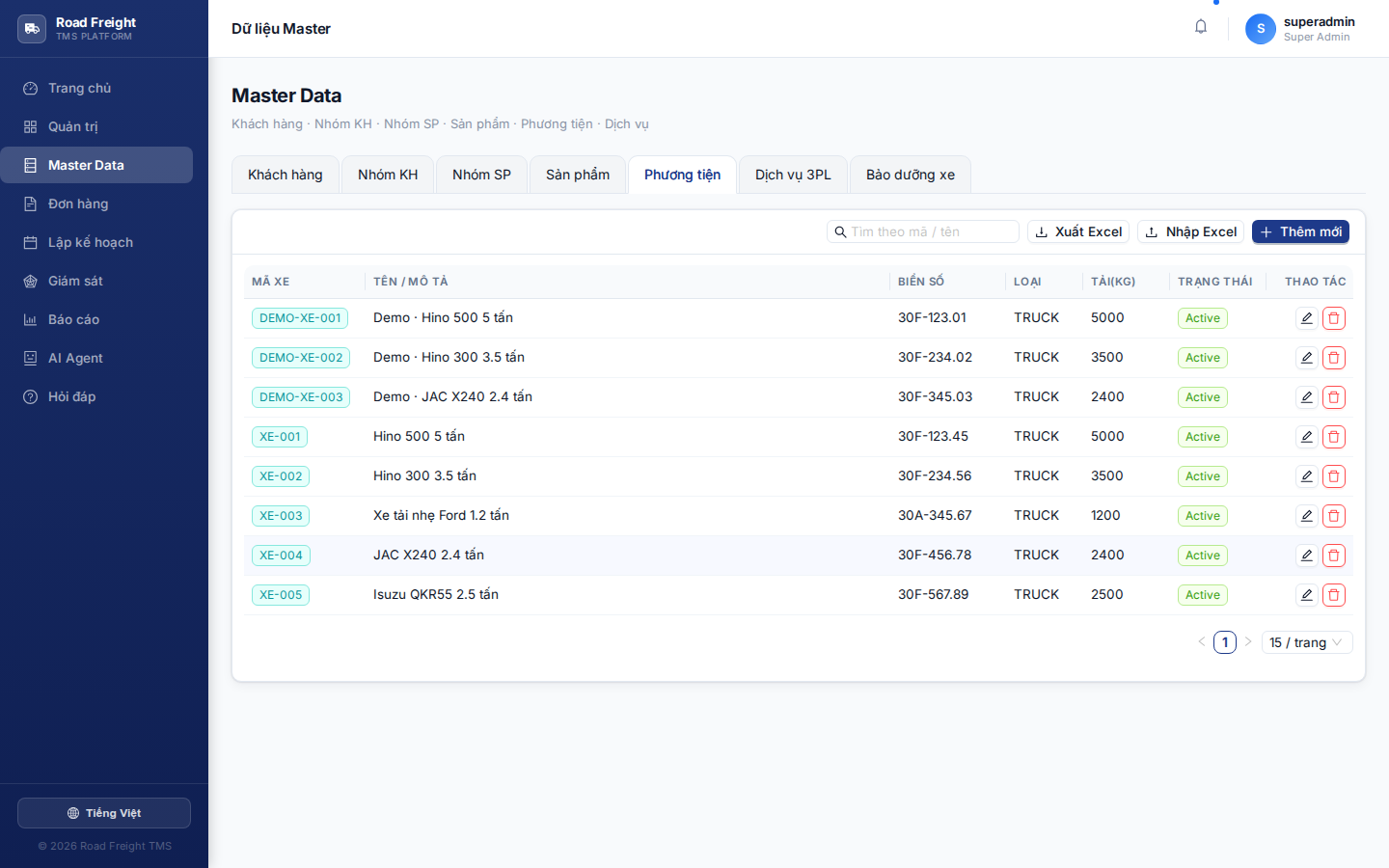
| Field | Importance |
|---|---|
| Vehicle code, License plate | Identifier |
| Vehicle type | Truck / Semi-truck / Trailer / Bike |
| Max weight (kg) | ⚠️ Optimizer constraint |
| Max volume (m³) | ⚠️ Optimizer constraint |
| Fixed cost/day | Plan cost calculation |
| Cost/km | Actual cost calculation |
| Average speed (km/h) | Travel time estimation |
| Loading time at warehouse (min) | Before departure |
| Unloading time per stop (min) | Added to total route time |
Tab 6: 3PL services
Allows hiring third-party carriers (3PL) instead of running own fleet:
- FTL — Full Truck Load
- LTL — Less Than Truck Load
- EXPRESS — Fast delivery
- LAST_MILE — Last mile
- REFRIGERATED — Cold chain
Each service has pricing: Flat rate, /km, /kg, /m³, fuel surcharge.
Tab 7: Vehicle maintenance
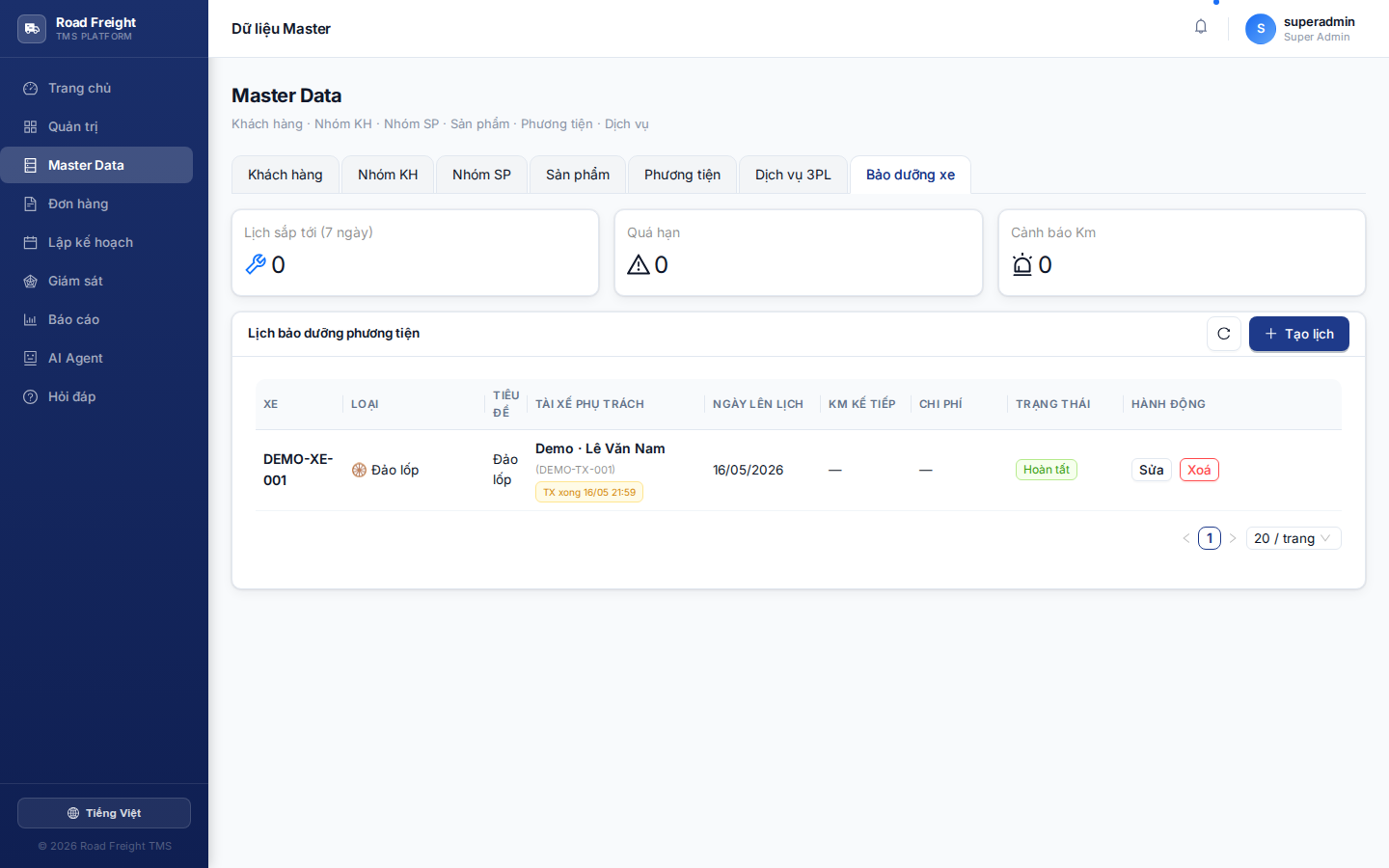
Schedule routine maintenance for vehicles:
- Vehicle + Maintenance type (oil / tires / brakes / inspection...)
- Scheduled date
- Assigned driver (optional — assigned driver gets app notification)
- Status: SCHEDULED → ACKNOWLEDGED → IN_PROGRESS → AWAITING_REVIEW → COMPLETED
Full workflow at Driver app > Vehicle maintenance.
Bulk Excel import
Most tabs have an "Import Excel" button at the top:
- Click "Download template" to get the file with headers
- Open Excel, fill in data (one row = one record)
- Click "Choose file (.xlsx)" → upload
- The system shows import result:
- ✅ Created: how many records
- ⏭ Skipped: code already exists
- ❌ Errors: which row failed, why
On first-time setup, use Excel import to load hundreds of customers / products at once instead of typing.
Next
- Order management — Create orders from existing customers
- Route planning — Assign orders to vehicles