Register an account
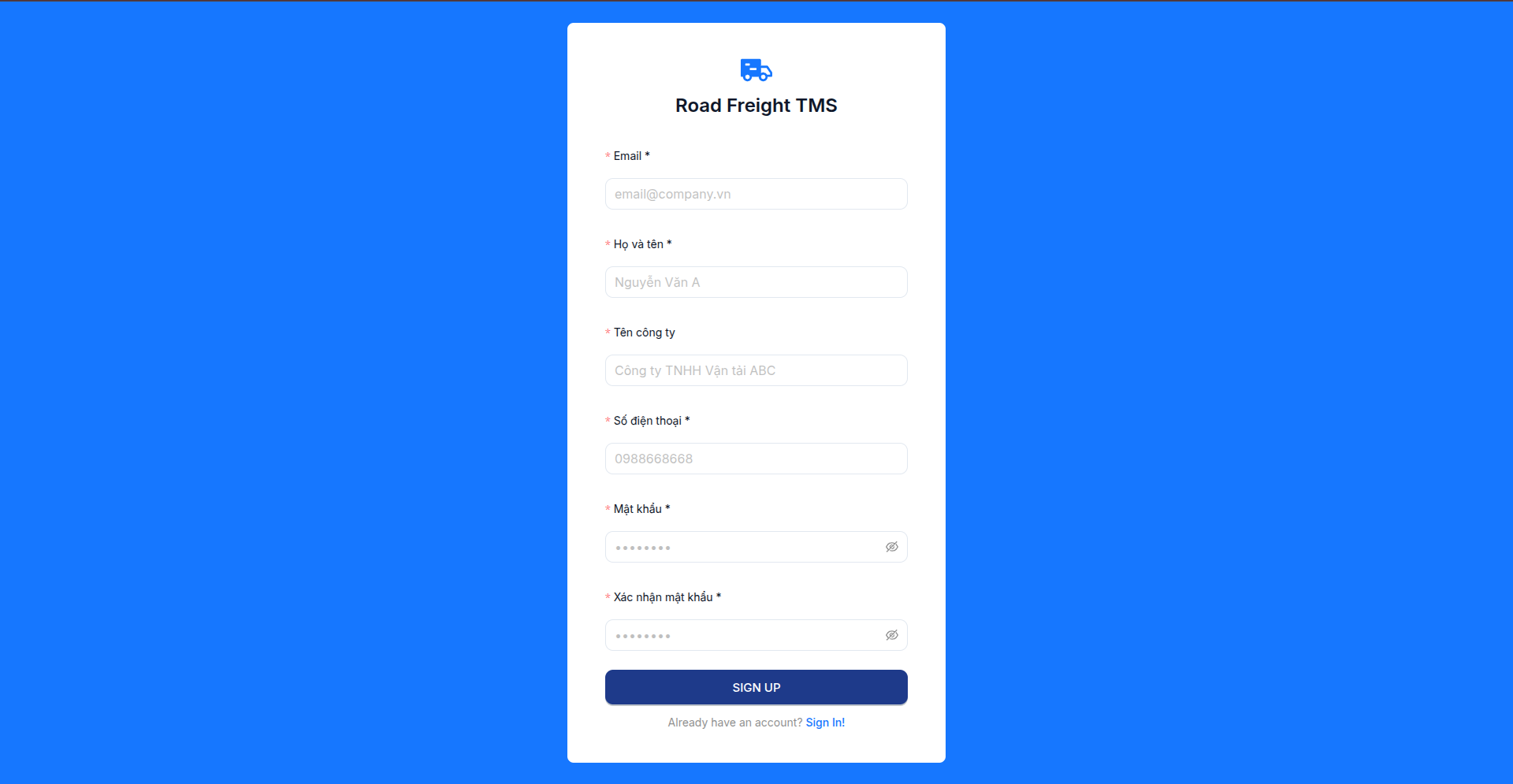
The registration page is for a new company admin who wants to create the first organization in Road Freight TMS.
When to register
Register only when you are the first administrator of a company. If another admin already invited you by email, use the invitation flow and read Login to the system.
Open the registration page
Open:
https://<company-domain>/register
Or click Register now from the login screen.
Fill in the form
| Field | Description | Example |
|---|---|---|
| Login email | admin@company.com | |
| Full name | Your full name | Nguyen Van A |
| Company name | Root tenant organization | ABC Transport Co., Ltd. |
| Phone | Contact phone number | 0988668668 |
| Password | At least 8 characters | •••••••• |
| Confirm password | Repeat password | •••••••• |
warning
Check the email carefully. It is used for login and should not be changed casually after registration.
Verify email
After submitting, the system sends a verification email:
- Open inbox or spam folder.
- Click the verification link.
- Return to the login page.
After registration
The system creates the root organization, assigns you the IT Admin role, and redirects you to the dashboard.