Role groups (RBAC)
Road Freight TMS combines RBAC (Role-Based Access Control) + DAC (Data Access Control):
- RBAC decides what they can do (actions): create orders, approve, plan...
- DAC decides what data they can see (scope): only HN branch, or the entire company
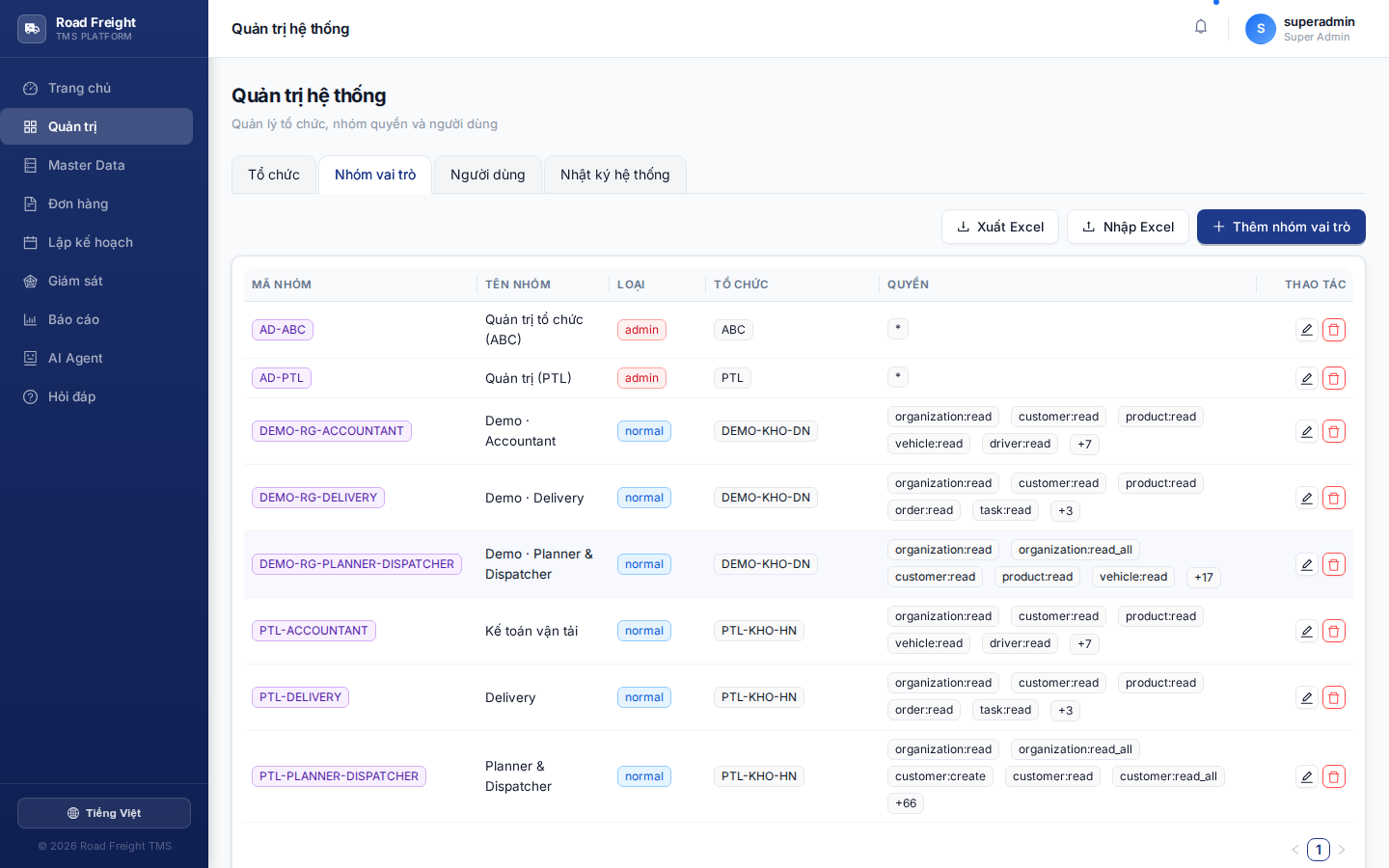
5 built-in presets
The system ships 5 ready-to-use role templates:
| Preset | Main permissions | For who |
|---|---|---|
| 👨💼 IT Admin | Full: organization, users, master data, orders, reports | System administrator |
| 📋 Planner | Master data + orders + planning (cannot view payroll) | Route planner |
| 🚦 Dispatcher | Trip monitoring + incident handling + status updates | Real-time dispatcher |
| 📋🚦 Planner + Dispatcher | Combination | Small business — one person doing both |
| 💰 Accountant | Reports + payroll + COD reconciliation | Accountant |
The principle of separation of duties — the person who plans (Planner) should not see driver salaries / revenue, avoiding conflict of interest and leak of salary info.
Create a custom role group
If the 5 presets don't fit your structure, create a new one:
- Click "+ Add role group"
- Enter Group name + Code (e.g.
PLANNER-SRfor Senior Planner) - Tick the Permissions needed — grouped by module:
- Master Data: customer.manage, product.manage, vehicle.manage, service.manage
- Orders: order.create, order.approve, order.cancel, order.export
- Planning: route.create, route.optimize, route.finalize, route.unlock
- Reports: report.view, report.export, payroll.view, payroll.configure
- Admin: user.invite, user.disable, audit.view, organization.manage
Data scope (DAC)
After creating a role group, when assigning it to a user, you also set the organization scope:
User: Nguyễn Văn A
Role: Planner
Scope: Hà Nội Branch
↓
→ A only sees orders + routes + vehicles of HN (+ HN's child depots)
→ Does NOT see HCMC data
The subtree scope automatically includes all child organizations at any depth.
Editing a preset
Possible, but be careful:
- Click the preset name → modify permissions
- Changes apply immediately to all users in that preset
- Logged in Audit Log
FAQ
Q: Can a user belong to multiple role groups? A: No. Each user belongs to one group. Need many permissions → create a combined preset like Planner+Dispatcher.
Q: What happens if I delete a group while users still use it? A: System blocks deletion. Move users to another group first.
Q: What's a Super Admin?
A: A user with IsSuperAdmin=true — bypasses all permission checks, for dev/maintenance. Only one super admin per system.
Next
- User management — Assign role groups to users
- Audit log — Track permission changes